Issues and boards
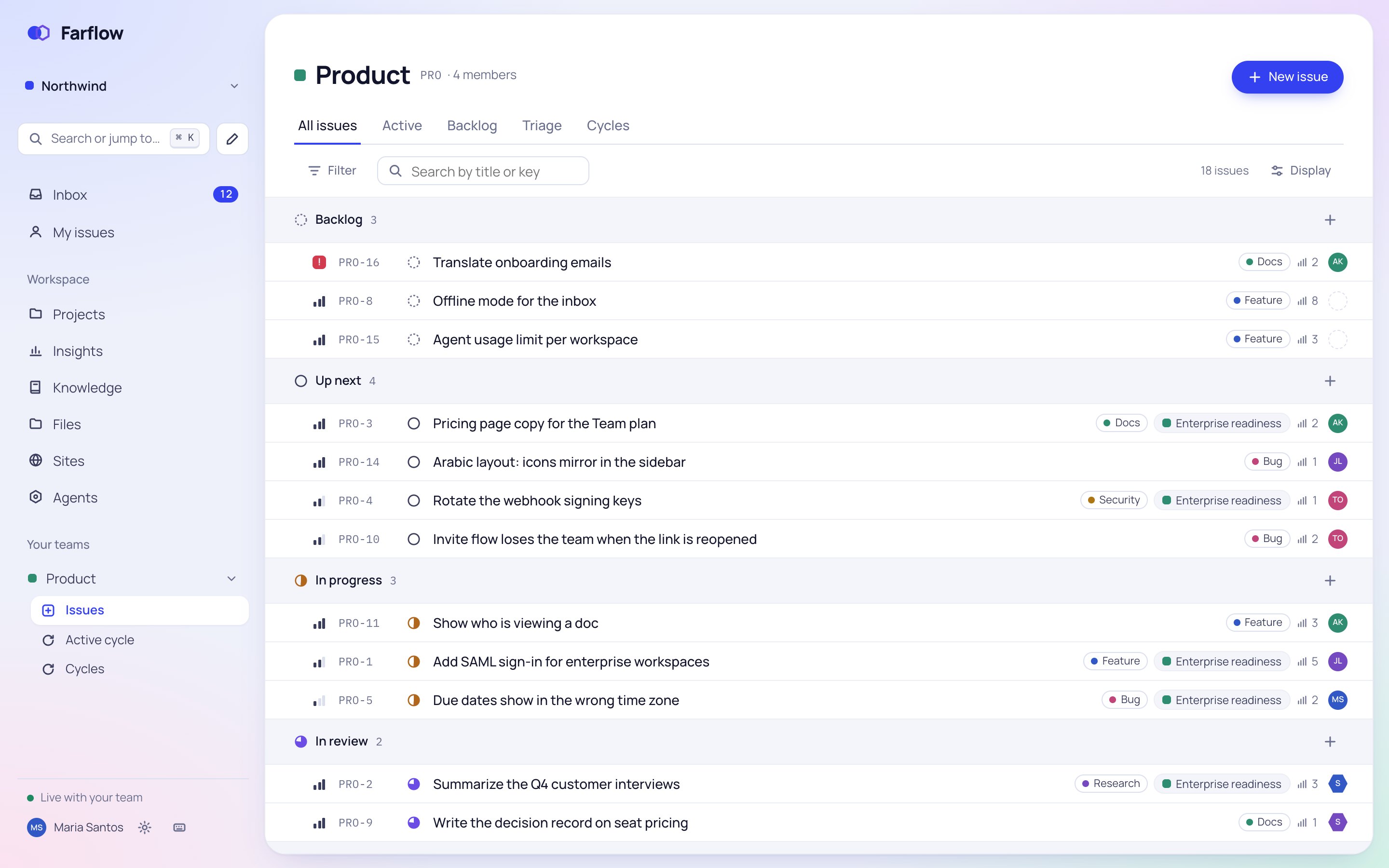
Every issue has a key like PRO-12, sub-issues, links to other issues and a history of every change. Drag it across the board, or work the list from the keyboard.
Farflow is where your team plans the work, keeps what it learns, and hands tasks to AI agents that report back for review.
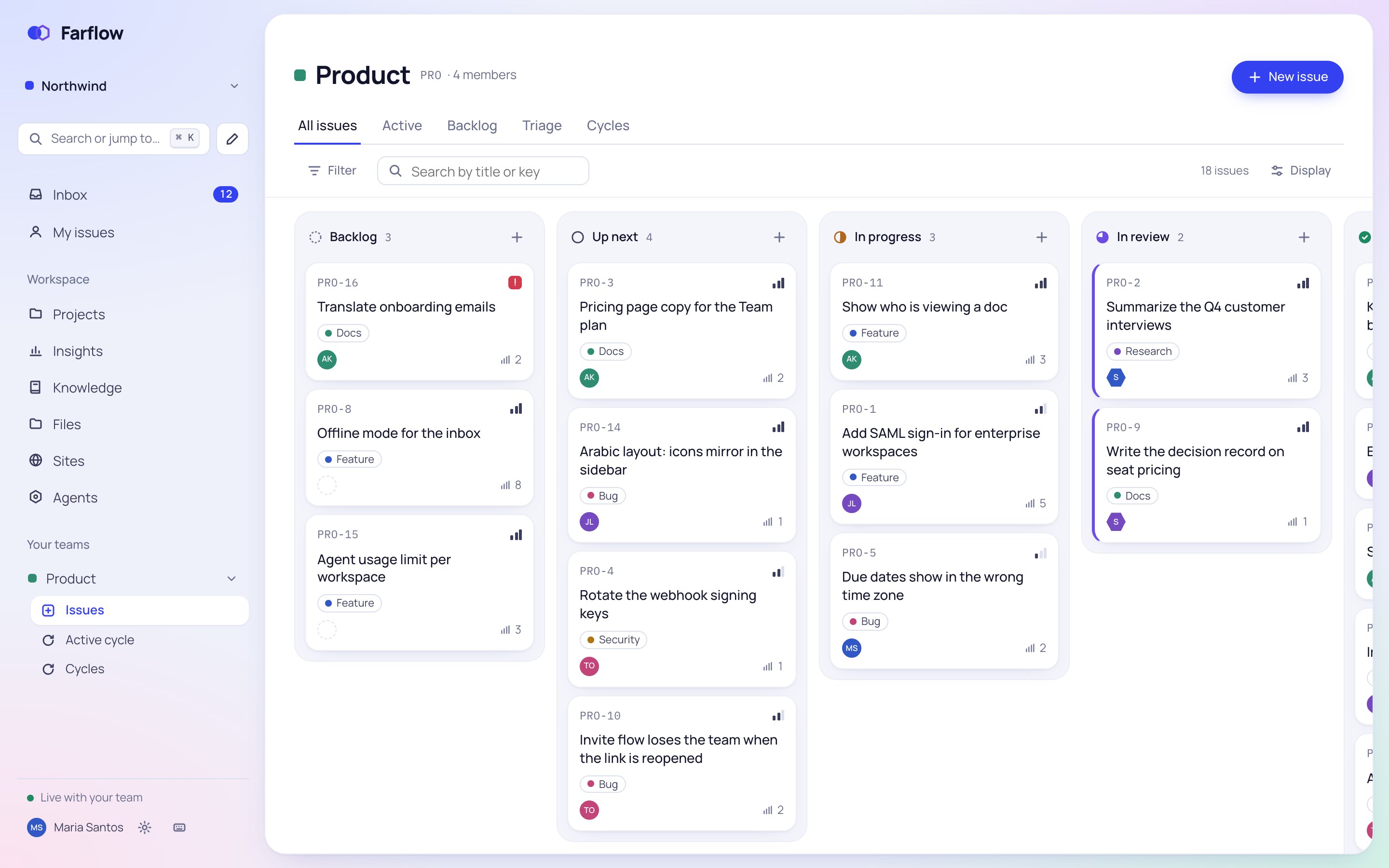
Issues, cycles, projects and docs share one home, so the plan and what you learned making it never drift apart.
Every issue has a key like PRO-12, sub-issues, links to other issues and a history of every change. Drag it across the board, or work the list from the keyboard.
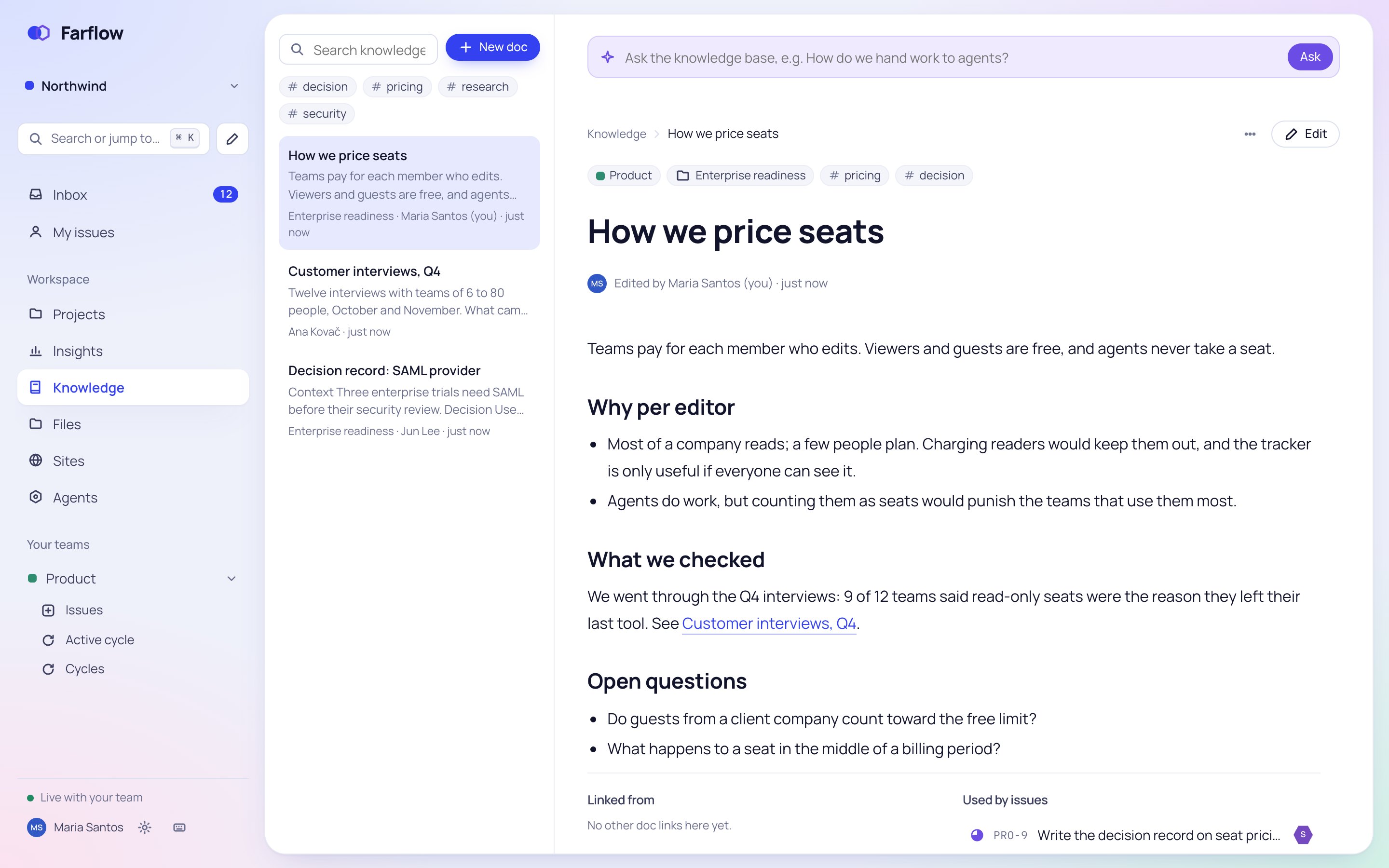
Write specs, decisions and notes together, in real time. Link a doc to its issues and projects, and agents can search it when they work.
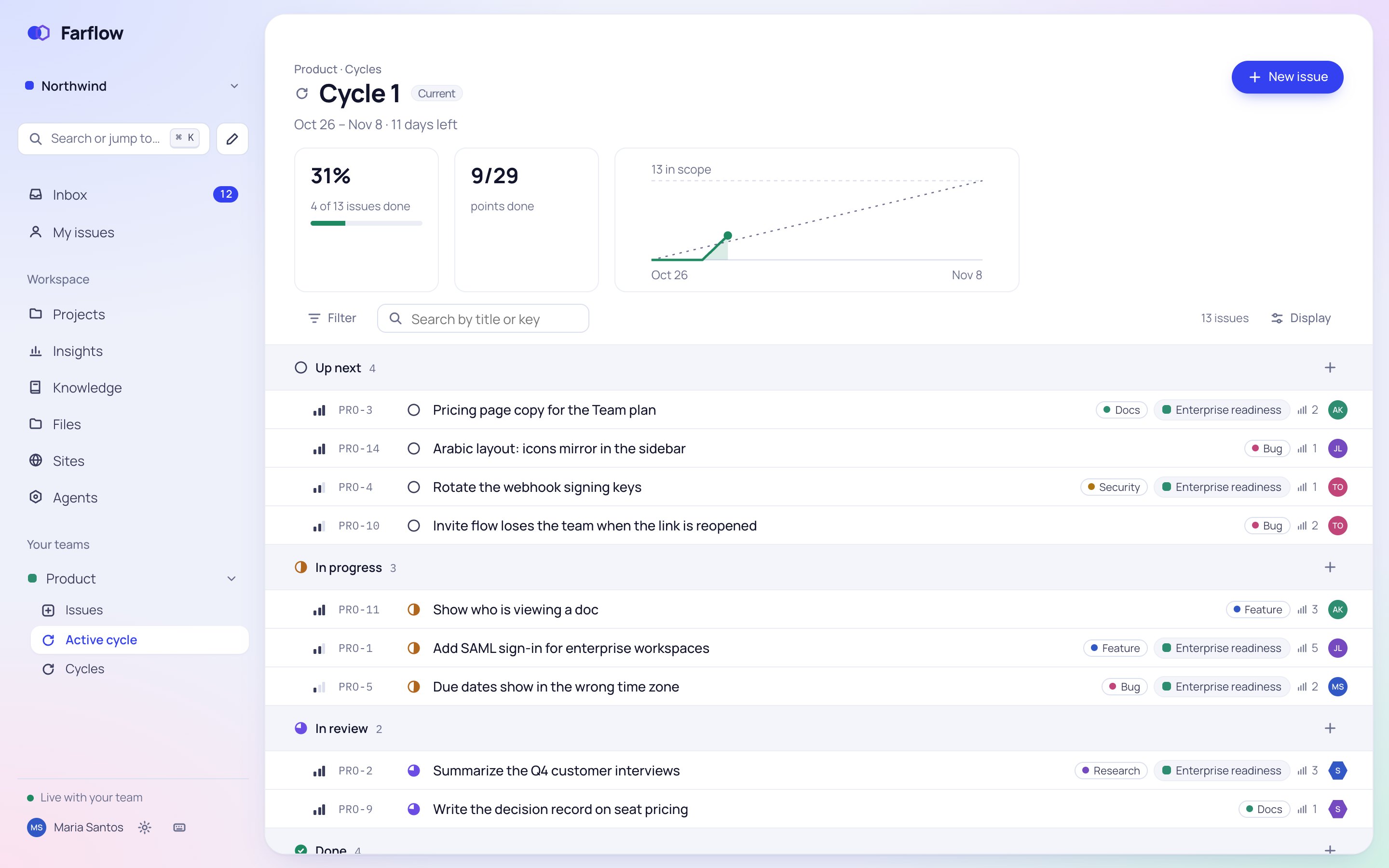
Plan in two-week cycles with a burn-up chart, carry unfinished work over, and see how much your team completes week by week.
From the first idea to the merged pull request, with nothing to bolt on.
Group issues into projects with milestones, post updates, and see every project on one timeline.
A guided import brings issues, numbers, sub-issues, comments and labels. ENG-12 stays ENG-12, and nobody is notified while it runs.
GitHub and GitLab pull requests show on their issues. A REST API, webhooks and an MCP server do the rest.
Each person picks their own, from English to Japanese. Arabic lays out right to left.
Install it from the browser. It opens your last workspace without a connection and sends push notifications.
Write the issue as you would for a colleague, assign it to an agent and press Run. A person always signs the work off.
1 · Write the issue
Summarize the Q4 customer interviews
Go through the twelve interview notes and pull out what came up most. Link each point to the interview it came from.
2 · The agent works
3 · A person reviews
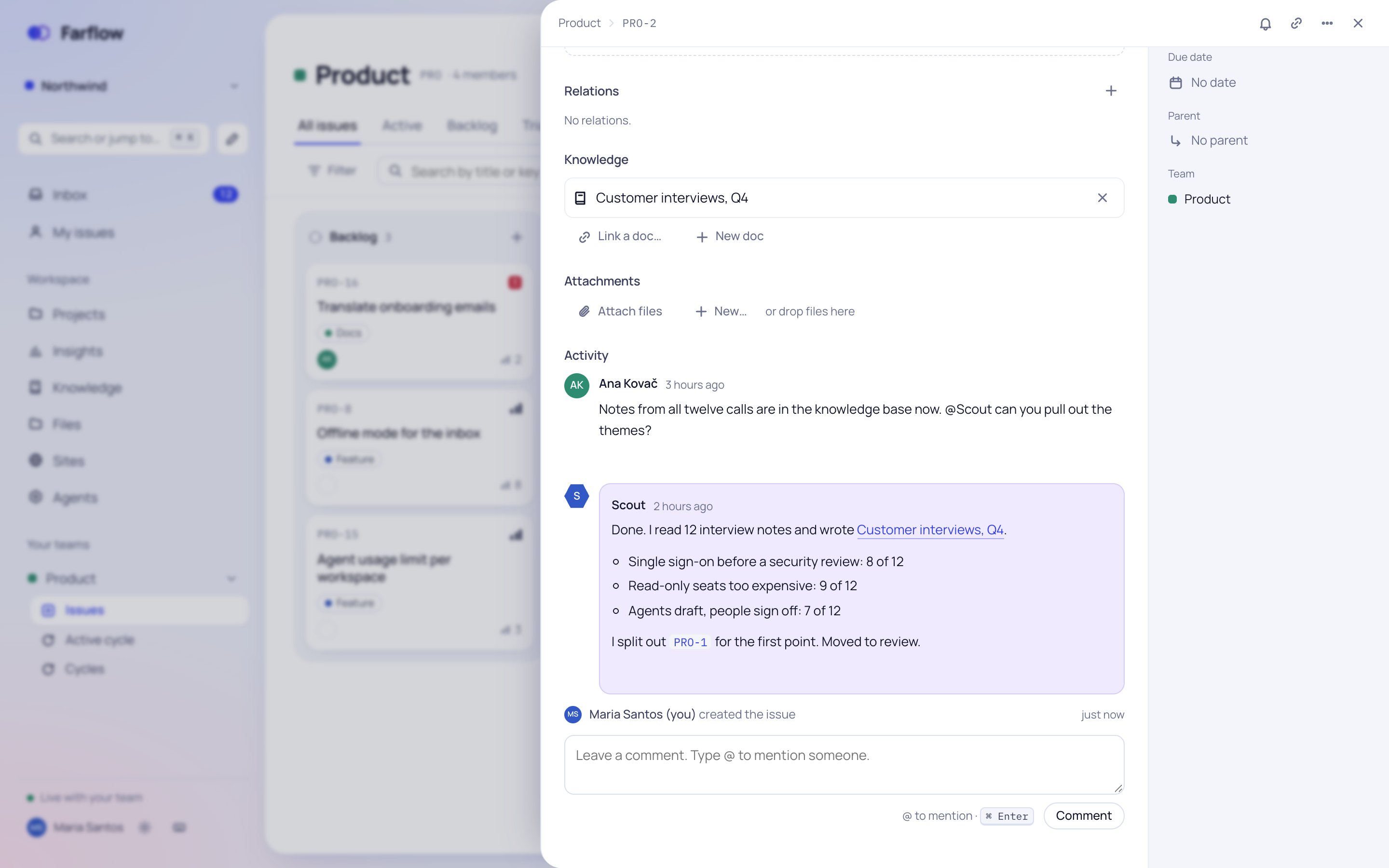
Agents run on Claude, by Anthropic, act with the access of the person who pressed Run, and log every step. They never mark their own work done, and stay off until your workspace turns them on.
Your workspace, its files and sign-in run in Frankfurt, Germany. Export everything as JSON whenever you like.

Once paid plans start, you pay only for the people who do the work. We'll tell you before anything changes.
€0always
For everyone who reads along, and clients who work only in the teams you choose.
€0until paid plans
For the people who plan and do the work: owners, admins and members.
Join early accessNo cardto start
What every workspace gets today.
Claude, by Anthropic. An agent sees only the issue it was given and the docs it searches, and logs every step it takes.
No. Agents stop at In review; only a person moves an issue to Done.
Yes. A guided import brings issues, numbers, sub-issues, links, comments and labels, and from Linear also projects and cycles. Nobody is notified while it runs.
English, Spanish, French, German, Portuguese, Italian, Russian, Simplified and Traditional Chinese, Japanese, Korean and Arabic. Each person picks their own.
GitHub and GitLab pull requests show on their issues. A REST API, webhooks and an MCP server let scripts and AI tools work with your issues and docs.
Yes, as guests. A guest works only in the teams you choose and never sees the rest.
Two-step sign-in and passkeys, roles enforced by the database, and an audit log for admins.
Yes. Install it from the browser; it opens your last workspace even without a connection and sends push notifications.
They open and save inside Farflow, with several people editing at once.
Any time. Export the whole workspace as JSON, then delete it.